Designed for deep work
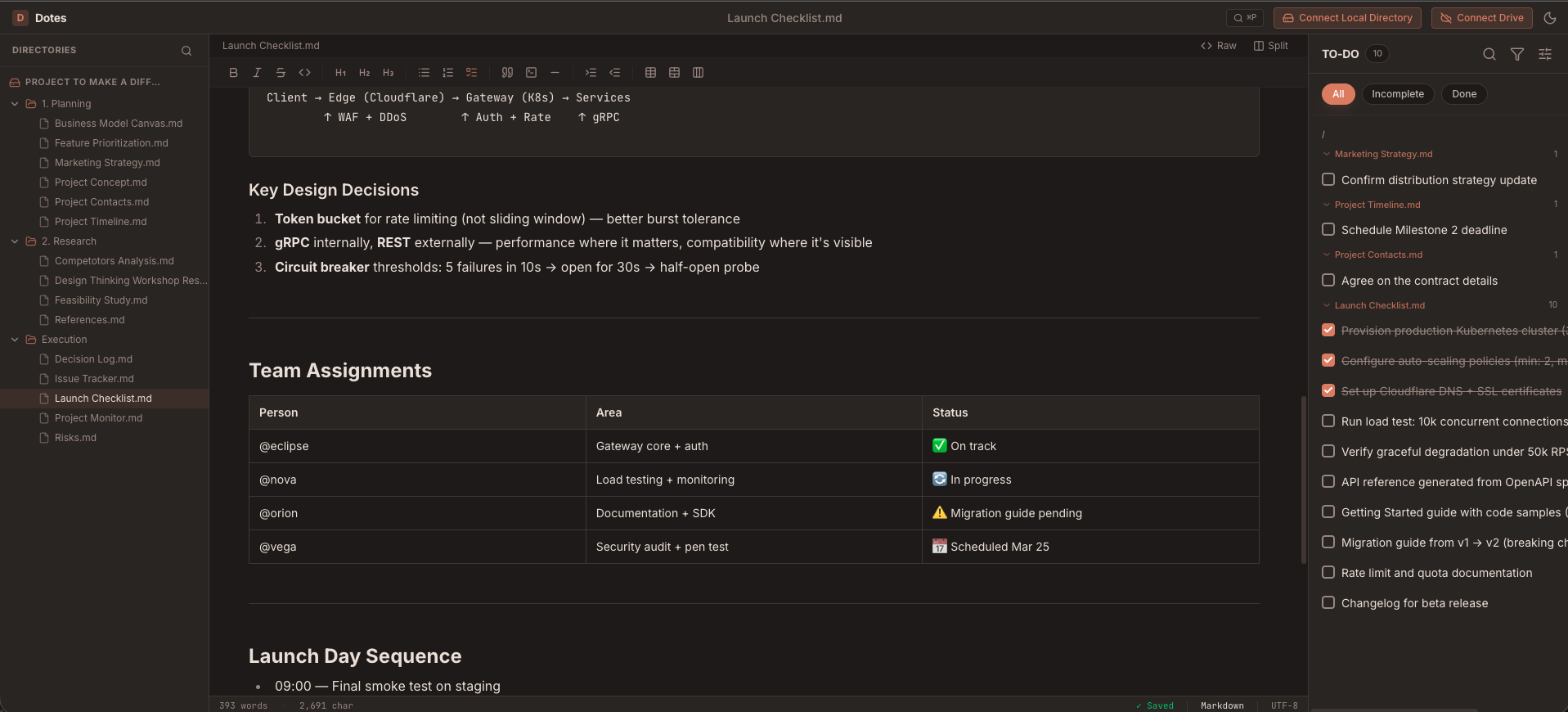
The minimalist markdown editor for high-performance teams and individual thinkers. Privacy by design, speed by default.
Open source at its core. Your thoughts shouldn't be trapped behind a subscription or proprietary format.
Local-first architecture. We never see your content. Your data never leaves your device unless you choose it.
Built for speed. Instant startup, instant search, zero lag. Your tools should keep up with your brain.
No internet? No problem. Full functionality available without a connection. Sync when you're back online.
Native apps for Mac, Windows, Linux, and Android. A unified experience across all your digital surfaces.
Sync via Google Drive, OneDrive, or local folders. You choose where your knowledge base lives.
Beautiful rich editing that writes clean Markdown. Toggle with one keystroke.
Every [ ] across all files — grouped by folder, filtered by status, interactive.
Fuzzy search files, commands, settings. ⌘P to open. Everything at your fingertips.
Side-by-side editing of two files. Primary pane stays pinned.
Hide the UI. Just you and your thoughts in pure clarity.
Instant fuzzy find across thousands of local and cloud files.
Organize folders and assets with a simple intuitive gesture.
Paste screenshots directly into notes. Inline preview in the editor.
15+ formatting buttons for headings, lists, tables, code. Both modes.
Syntax highlighting for over 20+ programming languages.
Adaptive dark mode and clean indigo light. Instant zero-flash toggle.
Every keystroke preserved instantly. Restore where you left off on launch.
Secure e2e encrypted sync, collaborative workspaces, and web publishing. Coming soon.
You're on the list! We'll be in touch.